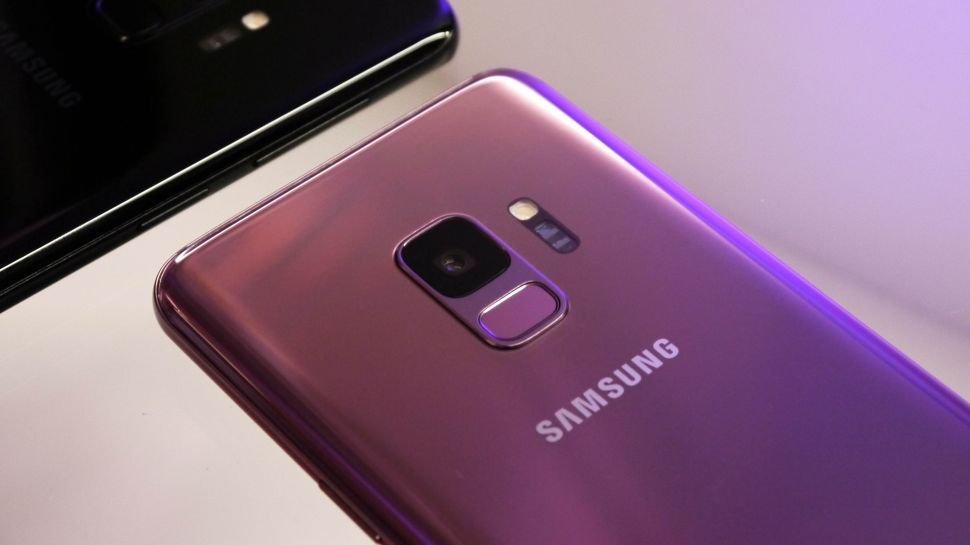
How to: choose a smartphone

Need a phone? We’ll help you find the one that’s right for you
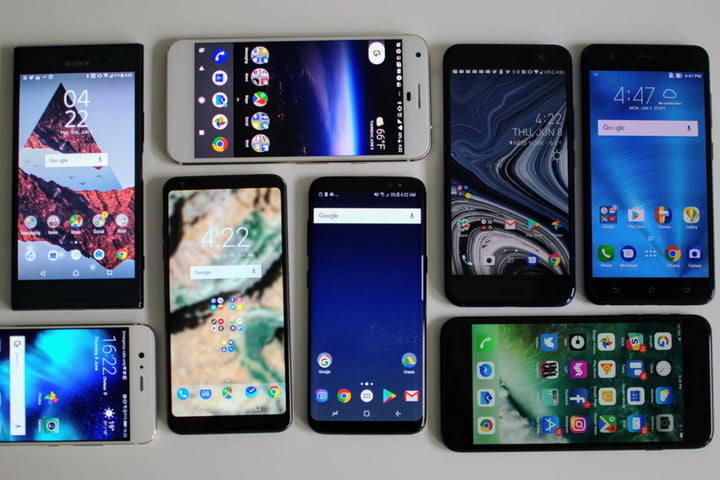
You need a smartphone, and you need it now. Maybe it’s your first phone, maybe your contract is up for renewal, or maybe you just dropped the last one in the toilet. Fear not. There are a lot of good options out there and we’ve got a quick guide about how to choose a cell phone that’s right for you.

For a more in-depth look at what the smartphone market has to offer, take a look at our friends from DigitalTrends who made guides for the best smartphonesbest Android phones, and best cheap smartphones.

FIGURE OUT WHAT YOUR NEEDS ARE

photo shootout p20 pro galaxy s9 iphone x pixel 2 pixel2 iphonex galaxys9 header

There are a lot of different things to consider when you’re buying a new smartphone. Do you need a phone with a large screen? Maybe you prefer something that you can use one-handed? Are you looking for long battery life or the best camera phone you can find? Do you need a lot of storage for your music collection? Maybe you’re a frequent traveler and a dual-SIM phone would be useful?

Start by drafting a list of the most important features for you and use it to compare devices to ensure your new smartphone ticks all of your boxes.

CHOOSE AN OPERATING SYSTEM

iOS 11 review

There are really only two smartphone operating systems worth considering today: Android and iOS.

Both are easy to use and support a wide variety of apps and games. While you can change from Android to iOS, or from iPhone to Android, there is a learning curve. You’ll be most instantly at home on whatever platform you’re used to.

Android offers a wider choice of devices at different prices, it offers more customization options, and Google’s excellent suite of services and apps is built in. If you already use things like Google Maps, Gmail, and Google Docs, then Android will be the better choice for you. It also features the best virtual assistant — Google Assistant — which is growing more useful all the time.

Apple’s iOS offers a more uniform, accessible experience, it’s more secure, and the App Store experience and quality of apps is slightly better. If you already have a MacBook or an iPad, then an iPhone is probably going to make the most sense for you. You’ll also find an enormous choice of accessories for iPhones, something that can be limited for lesser-known Android devices.

For a more in-depth breakdown of the top two smartphone platforms check out our guide to Android vs. iOS, where we put them head-to-head in various categories.

FEATURES YOU’LL WANT IN YOUR PHONE

Picking the right phone for you can be tough, and you can’t trust most employees at stores to know what they’re talking about or to steer you in the right direction. We recommend that you shop around and get a hands-on with the smartphone you fancy before buying. If you don’t know much about specs, try to bring along a knowledgeable friend if you have one, but if not, here are a few things you’ll want to think about.

Design

If you want something you can use one-handed, then pick it up and try it out. A lot of phones nowadays are glass front and back, but that makes them fragile and prone to smudges, so they won’t suit everyone. Check that the fingerprint sensor position suits you as well — they’re generally being moved from the front to the back. The right design for you should look and feel good.

Nice screen

You’re going to spend many hours gazing at it, so make sure that your smartphone screen is a good size for you and that it boasts a high resolution. We recommend a minimum of Full HD, which will be 1920 x 1080 pixels, or perhaps 2160 x 1080 pixels if the phone has a modern 18:9 aspect ratio. Anything that’s 1080p or higher will be sharp enough. In terms of the underlying technology, OLED screens have better contrast, with deeper blacks than LCD screens, and we prefer them overall. Both Samsung’s Galaxy range and Apple’s iPhone X sport OLED screens, but you won’t find them at the budget end of the market.

Good performance

This will mainly be determined by two things: The processor and the RAM. The processor is the most important thing, and newer is generally better in terms of both speed and power efficiency. Apple’s A series chipset tends to outperform the competition. For an Android phone, Qualcomm’s Snapdragon 845 is currently the cream of the crop. It’s debatable how much RAM you need in a smartphone, but we recommend looking for at least 4GB. This doesn’t apply to iPhones, however, because they deal with memory management differently and don’t require as much RAM. If in doubt, read reviews or play with your prospective smartphone in a store to test it.

Up-to-date OS

If you buy a new iPhone, then you’ll get the latest version of iOS on it, but this isn’t always the case with Android phones. Because the manufacturers often apply their own user interfaces on top of Android, it can take a while to get the latest updates, and you may not get future versions of Android upon their release — or maybe not at all, if the manufacturer decides not to update. Only stock Android phones from Google, such as the Pixel 2, are guaranteed to get immediate and consistent Android updates. The current version to look for is Android 8.0 Oreo, but Android P is just around the corner. Always try to get the latest version you can.

huawei p20 pro security scaremongering pointing camera opinion

A good camera

Smartphone cameras have come on in leaps and bounds over the last few years. The choice can be bewildering, but it’s important to note that good camera performance is about a lot more than just a high megapixel count.

Bloatware

Be careful of bloatware or hobbled features, especially if you’re buying Android. Sometimes carriers block specific features or change defaults. Carriers and manufacturers also often add a lot of apps that are superfluous, and you may find that you can’t uninstall them.

Battery life

Removable batteries are rare nowadays, so you want to pick a phone that will be able to keep up with you. Check the consensus on battery life in reviews. The mAh rating will give you some indication, but the capacity is also impacted by the screen size, resolution, and software, so you need to look beyond the number.

Storage

The latest smartphones generally come with enough storage built in. When 16GB phones were common — and they had 10GB used up out of the box — you could run out of space alarmingly quickly. We recommend a minimum of 32GB, but 64GB is better. Much depends on how you use your phone. You’ll obviously need more space if you like to load your MP3 collection on there. Having a MicroSD card slot allows you to expand your storage space relatively cheaply, but Apple never includes MicroSD card slots, so this is something you’ll only find in some Android devices.

Durability

We mentioned the dangers of glass phones briefly, but if you buy a glass phone and you’re prone to dropping it, make sure you get a protective case. You should also get a phone with some water resistance. The top flagships tend to have IP67 or IP68 ratings nowadays, which means they can be submerged in water without damage. Even budget phones often come with some water resistance, but it’s worth checking.

CHOOSE A WIRELESS CARRIER

att to end two year contracts january 2016 sign phone company carrier

It’s important to choose a carrier that offers good coverage in your area so you’ll have a strong signal. We recommend doing a little research at Open Signal where you’ll find comprehensive coverage maps for different areas and carriers. Simply enter your location and pick a carrier to see what the coverage is like where you live and work. If you want to be able to do data intensive things — like stream video or play multiplayer games — without Wi-Fi, then make sure that 4G coverage is good in your area.

The four main choices are Verizon, AT&T, T-Mobile, and Sprint, but there are other carriers such as MetroPCS, Boost, Cricket, and Virgin that may be worth considering. If you plan to buy your smartphone from your carrier, along with your service, then you should also check that they offer a phone you want. We recommend buying an unlocked phone when possible because it will work out cheaper in the long run and give you the freedom to change carrier in future.

Assuming there isn’t much difference in coverage quality for your area, and you can get the phone you want on multiple carriers, you may want to refer to our next section before making a decision.

PICK A SERVICE PLAN

t mobile q4 2014 report subscriber growth john legere  un carrier event

Carriers will always try to sell you expensive plans, so it’s worth considering what you actually need. If you tend to be on Wi-Fi a lot, then you probably don’t need a lot of data. Minutes and texts tend to be very cheap, so it’s usually the amount of data that determines the monthly cost.

Once you have an idea of the data, minutes, and texts you need, try using a comparison service like Wirefly to find the best deal quickly. It’s worth considering that the more products and services you take from a single carrier, the more of a discount you can expect, though you may have to ask for it.

There are a lot of different service plans out there, but competition is usually good for consumers — you just have to shop around for the best deal.

It’s also a good idea to try and negotiate a better deal every once in a while. If you find a better plan for the same money somewhere else, but you don’t really want to leave your current carrier, then call them up and ask them about it. You want to get put through to the retention department, as they often have the power to offer you discounts and other incentives to stay, but it’s important to stick to your guns and be prepared to leave if they won’t match or beat the deal you’ve found.

We hope these tips will help you get the right smartphone for you. Hit the comments if you have a question and we’ll do our best to answer it.
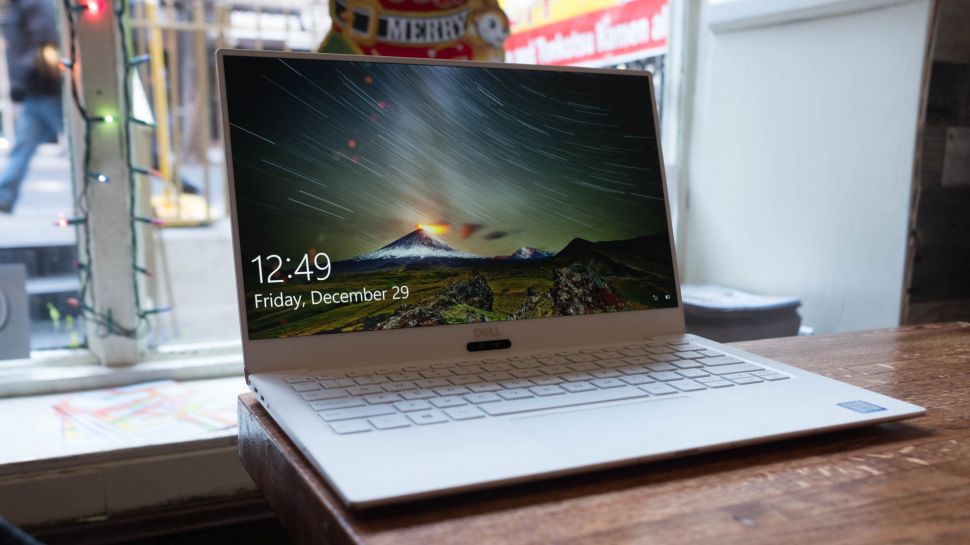

How to: Extend your laptop’s battery life

Handy laptop battery life tips

Modern laptops are more powerful than ever before, and thanks to advancements in mobile technology, they are also more efficient as well, giving them ever greater battery lives.

However, they still need to be plugged in a juiced up throughout the day.  While laptop battery life is a chief cause of mobile moans, it’s possible to get significant improvements by good practice and a few software tweaks. To help you get a longer laptop battery life, here are 10 easy ways to improve it. 

1. Dim your screen

The screen is one of the most power-hungry parts of the laptop. It takes serious amounts of battery power to keep your display looking clear and bright. Saving this power is simply a question of turning the brightness down. 

The screen brightness button is usually located as a second function of one of the F keys, and is represented by a little sun symbol with up and down icons. To use it, just hold down the correct function key and then choose up or down.

2. Change power settings

Windows 10 comes with some great power features, which enable you to eke out the best performance when you’re plugged into the mains, and optimise battery life when on the move. 

Type ‘power options’ into the Start Search box and choose ‘Power saver’ from the list. Windows 10 also has more methods for saving battery life. These include settings for powering off the monitor and kicking into sleep mode more quickly.

3. Switch off Wi-Fi

One of the biggest battery sappers is the wireless networking capabilities built into most laptops. Wi-Fi drains the battery by constantly drawing power from the battery and, when not connected, looking for networks. 

When you’re using your laptop away from the grid, the likelihood is you’re away from wireless networks, so you can turn this device off. Many laptops have a function button that enables you to turn off the wireless adaptor manually to save yourself the unnecessary waste, but older laptops often don’t have this.

If this is the case, open up the Notification Center by clicking the speech bubble icon on the far-right side of the taskbar, and click on ‘Wi-Fi’ to turn it off.

4. Turn off peripherals

Using USB peripherals can put a drain on your system, because your motherboard has to power them, so unplugging everything saves juice. USB sticks, mice and webcams are common offenders, so copy all your information across and eject your devices as soon as possible, and put up with laptop track pads over your USB mouse.

Many laptops have function buttons to turn off the built-in webcam, which drains the battery if given the chance. And switch your speakers to mute if you’ve no need for sound – your laptop beeping every time it gets an email or boots Windows can be a drain.

5. Eject your disc drives

Having a disc spinning in the drive is a huge drain on resources, and many programs constantly do this. Simply eject your discs before you switch to battery power to gain vital extra minutes from your working day.

Most modern laptops don’t come with disc drives installed these days, but if yours does, it’s worth making sure it’s empty when you’re on the move.

6. Invest in some hardware

Good practice can go some way to extending your battery life, but if you need to use your laptop throughout your working day, you’re going to need some help. Advertisement

Most laptops come with a six-cell battery, but many manufacturers offer eight- or even 12-cell optional upgrades, which can double your power. 

The alternative to expensive laptop batteries are portable laptop battery chargers, which give you valuable extra hours for all your devices. These are usually compact battery units that have adapters for most laptops and mobile phones, which is portable enough to be placed in a bag and has enough capacity to double the length of your charge.

Check out our list of the best portable laptop battery chargers and power banks for our pick of the best devices to keep your laptop charged.

7. Disable features

Windows 10 has some handy built-in features, but many put demands on your system that are unnecessary when working on the move. Take the simple measure of turning off graphical effects when you’re on the move to make your laptop more efficient.

8. Battery care

Lithium-Ion batteries don’t need a complete discharge (contrary to popular belief) but also you should use a battery once you’ve charged it. 

If you have a spare you keep topped up, use that instead of your main regularly. If you have an older non-Lithium-Ion battery, you’ll need to regularly discharge it.

How to: Connect your laptop to your TV

Get your media up on the big screen

Have a great family time!

If you haven’t invested in a smart TV or streaming box, you can still watch all your favorite shows and videos from Netflix, Amazon Prime Video, YouTube, and more by connecting your laptop to your TV.

Maybe you want to show your friends the funny video that had you howling last night, or maybe you want to stream a soccer game – but why sit there hunched around your laptop or smartphone when you can easily connect it to your TV wirelessly or with cables?

We’ve got all the instructions and tips you need to successfully hook up one device to the other. Read our guide to discover everything you need to know about connecting your portable computer, phone or tablet to your TV.

How do I connect my mobile or laptop to a TV wirelessly?

If you hate the look (and hassle) of trailing cables, it’s easier and cheaper than ever to connect to your TV wirelessly. For example, if your flat-screen TV is a smart model with support for DLNA media streaming, then you can send movies, photos and other media files directly to it without the need for any additional hardware – just locate the right app on your TV to receive the content.

You’ll then need a suitable app for your laptop or mobile that allows you to send or stream content using DLNA. There are simple, relatively unsophisticated solutions such as AllCast for iOS and Android – this lets you display locally stored media as well as media hosted on another local DLNA server, or in the cloud via supported services (including Dropbox, Google Drive and Instagram).

If you’re serious about streaming media, then it’s worth considering using a full-blown media server solution like Kodi. As an open-source player that offers basic media server capabilities and works on everything except non-jailbroken iOS devices, Kodi is compatible with almost every streaming service imaginable.

You can also use a VPN, or virtual private network, to encrypt your connection and stream content from literally anywhere in the world. ExpressVPN, for instance, offers dedicated Mac, PC, and Linux apps and includes more than 140 different VPN locations.  

Alternatively, take a look at either Plex or Emby. While Kodi bolts on basic server features to its fancy looking front end, these put the media server front and center. Install the desktop server component to stream content from your laptop, or purchase the appropriate mobile app if you want to use it with your phone or tablet.

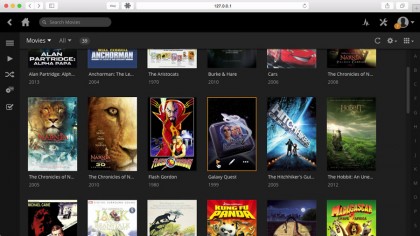
Organize your media into libraries for accessing through your smart TV’s DLNA media app

What wireless device can I plug into my TV to stream media and mirror my display?

You don’t need a smart TV model to mirror your device’s display on your TV – you just need to purchase a smart box. There are two main choices here, both of which plug into your TV via a spare HDMI port.

Firstly, if you’re exclusively wedded to the Apple ecosystem, then the Apple TV 4Kallows you to stream media as well as mirror your MacBook or iOS mobile’s display on the big screen.

Alternatively, Google’s Chromecast is cheaper, and works across a wider range of devices – Windows, Linux and Android, as well as Mac and iOS. You can stream media from your mobile using a range of supported apps, and you’ll be pleased to learn that both Emby and Plex are supported.

Chromecast works on laptops via the Chrome web browser and Google Castadd-in. Once installed, click the Cast button to the right of the address bar (or choose Cast from the menu) to pick what to cast and where to cast it.

By default, the contents of the current tab will be sent to your TV, so if you’re looking to stream media you can do so by accessing your server’s web-based UI through this tab – it’s 127.0.0.1:32400/web/ in the case of Plex for example. Any media you subsequently play back on this tab will then appear on your TV.

Click the down button to the right of ‘Cast this tab to…’ and you’ll see two further options: ‘Cast this tab (optimise for audio)’ is for playing music through your TV, while ‘Cast screen/window (experimental)’ is there should you wish to mirror all or part of your laptop’s display. Once selected, you can choose to display a selected application window or your entire desktop on your TV.

What do I need to physically connect my laptop to my flat-screen TV?

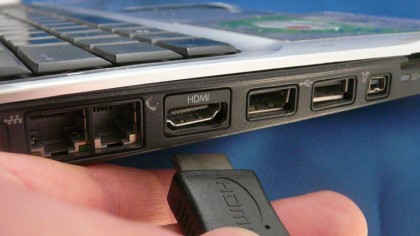
Maybe you don’t have a problem with cables – if so, all flat-screen TVs offer at least one HDMI port, as do practically all non-Apple laptops that have been manufactured in the last eight years. HDMI is just about the best solution at the moment, as it supports both audio and video (HD and beyond). All you need, therefore, is an HDMI cable to connect the two.

You could spend a small fortune on expensive HDMI cables, but the truth of the matter is that for HD video transmitted from your laptop, any HDMI cable will do. You can buy perfectly functioning, gold-plated cables for under £5 (and as little as £2) from the likes of ScrewfixAmazon, or many others.

The simplest and best way of physically connecting your laptop to your TV is via HDMI

How do I connect my MacBook to my flat-screen TV?

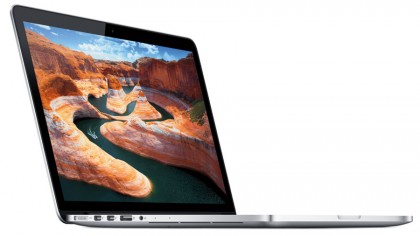
The latest MacBook models require a USB Type-C adapter to connect them to your TV. Apple provides a Digital AV Multiport Adapter, but if you want a simple USB-C to HDMI connection at HD quality, you can get away with a more affordable Anker USB-C to HDMI Adapter.

MacBook Airs and MacBook Pros ship with Thunderbolt ports that double up as Mini DisplayPorts – this allows you to skip right past the adapter to simply having a USB-C to DisplayPort cable. Just make sure it supports 4K resolutions like the Cable Matters USB-C to DisplayPort.

You’ll need the right adapter or cable in order to hook up the latest MacBooks to your big-screen TV

What cables do I need for connecting older laptops to TVs?

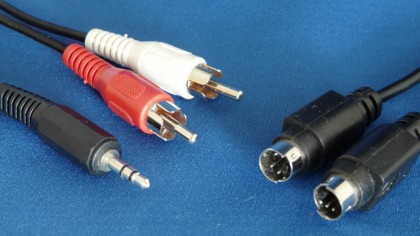
If you’re not worried about streaming in HD – when connecting up to an older CRT television, for example – then the best option is to use the S-Video port. It doesn’t provide High Definition (HD) quality, and only carries the video signal, so you’ll also need to hook up a separate audio cable (typically from your laptop’s 3.5mm headphone jack) to the audio inputs on your TV.

Your TV will need one of two things: either separate S-Video and phono audio ports, usually found on the front of the TV, or a SCART socket found on the back. You’ll then need to purchase an S-Video cable of suitable length, along with a separate audio cable. If necessary, purchase a SCART adapter to connect both sets of cables to your TV.

You’ll need separate cables for audio and video if connecting via analogue ports

What’s the alternative to S-Video?

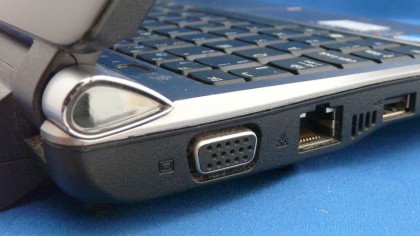
As analogue technologies become depreciated, modern laptops increasingly ship without an available S-Video port. If this is the case, you’ll need to use the laptop’s VGA port instead. This is a practical solution if your flat-screen TV has a VGA port included – a standard VGA cable coupled with an audio cable (see above) will be sufficient. You may even be able to view HD content this way.

If you’re trying to hook up to an older analogue TV, however, then it becomes less feasible. You’ll need an expensive VGA to TV Converter box that costs almost as much as a budget HD Ready 19-inch TV with the required VGA port built into it.

Older laptops should offer at least one analogue video option – usually S-Video or VGA

How do I connect my laptop to my TV?

Connecting your laptop to your TV with the right cable is often only half the battle. You also need to switch your TV to the correct input, plus configure your laptop or MacBook to re-route its display through the TV. This may happen automatically, but if it doesn’t – or you want to configure the display differently – read on.

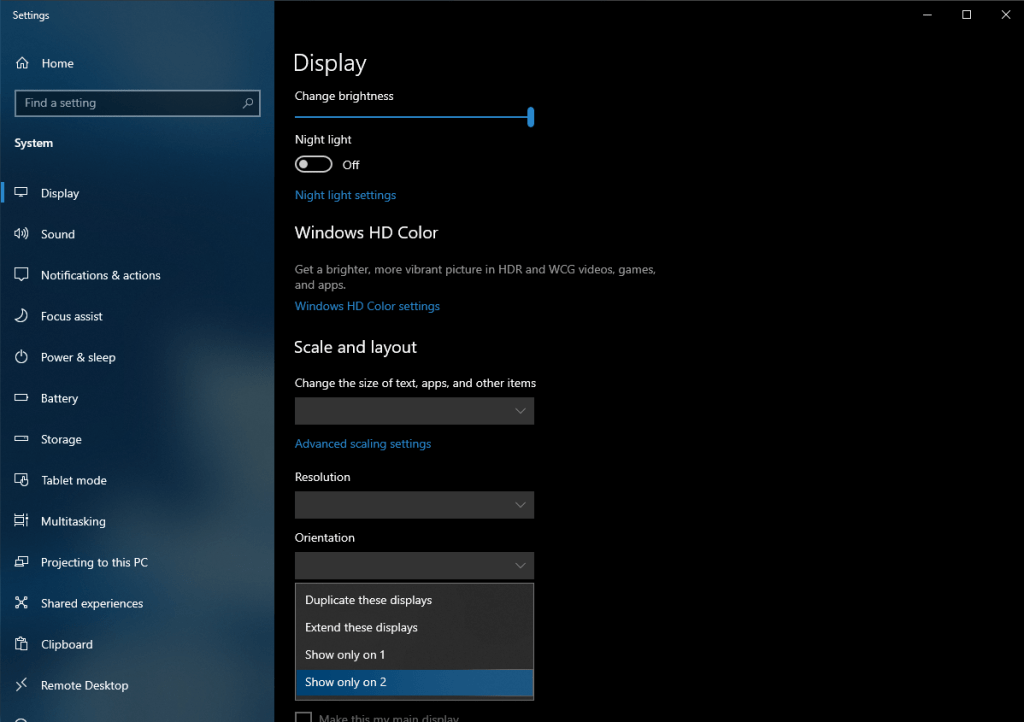
PC laptop users should be able to cycle through the available display options using a special function key in conjunction with the [Fn] button. Keep pressing this to cycle between laptop display only, TV only, and laptop and TV together. Alternatively, right-click the desktop in Windows to select screen resolution; from here you’ll be able to manually detect and select your TV’s display.

Determine what’s shown on your TV screen using Windows’ Display Settings

Mac users can configure the display via System Preferences: select Displays followed by the Arrangement tab (click Detect Displays if it’s not present). Tick Mirror Displays to put your TV perfectly in sync with your MacBook’s display, as opposed to acting as an extension of it.

What Tech Will Look Like in 2039

Let’s take a peek into the future.

Automation, Education, and AI’s Effect on Society

AI is going to change the types of jobs that are out there. It probably won’t change [them] as drastically as people think, because in a lot of these situations, the need for human intuition, empathy, and decision-making is still going to be needed. We need to be able to prepare the workforce for that next generation of jobs.

AI Future

I think there’s an opportunity to rethink how we train people. The average person changes careers multiple times and learns things on the job that didn’t exist [when they were] in college. This concept of continuous learning needs to be baked into how people work, so they can evolve as technology evolves. If you think about a classroom—a teacher standing in front of 30 students or a university professor standing in front of 300—we need to rethink how to redo education both in terms of personalizing it to the individual while making this kind of continuous education possible on a daily basis. AI is going to be a key to that. AI can make it so that education is built into everything that we do on the job, at home. It can scale in a way that the education system right now can’t.

One thing Google did recently is publish our AI Principles. It’s almost like our constitution for how we believe AI should be used. [Often] a lot of uses of AI are in a gray area. A lot more work needs to happen, but we’ve turned [the guidelines] into an operating principle. We’re learning as we build this technology, so it’s important to set ethical AI principles at the outset; to think about these situations are they come up and adjust. As we’ve examined it, there are very few things that are just unquestionably good or unquestionably bad.

~ Rajen Sheth

IoT Privacy and Security

We have data and sensors everywhere, controlling your building, controlling public utilities like bridges. And now we’re getting into the realm where we’ll have IoT sensors with machine learning. We need to address the impact of all of this on security. The whole security model is completely broken in terms of what you think an IoT device can do and how it’s different than a traditional information technology device like a laptop or a phone.

IoT Security

IoT is becoming even more involuntary. Whether or not I like it, I walk past something, and it may be sensing my movement at that point, it may be sensing where I’ve been, it may be sensing how much I walk and what level of activity I do. As a society, we have to deal with the implications of this, whether it’s IoT in your home or IoT in a public space. We see some of that with Chinese companies doing facial recognition through millions of cameras.

So I think there’s a crossroads here. A lot of these use cases are so data-driven, and they are so computationally intensive that by definition, the vendors want you to install that device that ships all the data to the cloud, because it allows them to improve the machine learning and the models. I am worried about what it means for privacy, especially as we increase the amount of sensing. In a dumb home, if I may call it that, you don’t have to worry about this data leakage and privacy concerns. There was a gap [between] what you did [and] the outside world. Now, that’s going away, and very much like what Facebook did for what we make available in public, that’s what’s going to happen even for IoT. All of this information will be there. And somehow, we have to rein this in and have regulation or rules or transparency into how that data is being used. I think that is one of the defining challenges as IoT and smart homes become much more pervasive. And then, how do we make sure that this doesn’t become a completely disaster in the long run?

~ Yuvraj Agarwal

Perceptive Tech

I also believe that in the future, all technologies, big and small, will be perceptive and sentient. The ubiquitous human-machine interface, in whatever shape it will manifest, will interact with you the same way that humans interact with each other. Ubiquitous, perceptive AI will be always there, but in a subtle sense, operating in the background to make our experiences better and our lives easier. These systems and technologies will be seamlessly integrated into our day-to-day lives, the devices we use, the cars we drive, the homes we live in, and the like, having a small footprint.

Emotion AI will provide a backbone for our digital experiences. In the coming years, I believe we’ll see that it will evolve beyond just emotion, and transform into “human-perception AI” or, as I like to say, AI that can understand all things human.

If you think about it, we’re already surrounded by AI today, with the ubiquity of technologies such as Siri, Alexa, and Google Assistant that are constantly engaging with us and learning about us. At the same time, science has shown that there are facial and vocal biomarkers of mental health. Now, imagine if these devices were equipped with human-perception AI that could detect these facial and vocal indicators of poor mental health. There’s significant potential for this technology to transform mental-health treatment and care, by serving as a way to measure people’s wellbeing and even providing real-time intervention.

AI Social Contract

AI ‘Social Contracts’

I don’t subscribe to the doomsday scenario of AI taking over humanity. But I also don’t think that the future world will be one where humans completely dominate and direct AI. Instead, I believe we’ll work in partnership. As with any successful partnership, we’ll need rules and guidelines to govern how we work together. That’s where the social contract comes into play.

I believe that mutual trust and understanding are central to this new social contract between people and AI. There’s a lot of talk about people needing to be able to trust AI, but I’d advocate that AI needs to be able to trust people too—to perform the right role in workplace settings, to operate vehicles or machines safely, and ultimately to use AI ethically and morally. Human-perception AI will be key in enabling that trust and understanding, so that people and AI can ultimately form the kind of relationships that humans have with one another, that make partnerships productive and mutually beneficial.

~ Rana el Kaliouby

Other expected technologies

There are a few [technologies] that should be on everyone’s radar. Biology is one of the most important technology platforms of the 21st century. Genome editing will influence the future of life on our planet, and what’s both promising and concerning is that changes made can be heritable. If you’re trying to eradicate malaria without also wiping out the entire mosquito population, deleting the part of the bug that’s capable of carrying the disease—such that the newly edited sequence is passed down to future generations—is a good thing.

However, what are the implications of making choices about heritable characteristics in humans? This isn’t the same thing as simply speeding up what would otherwise be a Darwinian process. The US doesn’t have a national biology strategy, and there are no codified norms and standards that everyone agrees to worldwide. So while gene editing could theoretically eradicate certain diseases, such as HIV, from the human population, we don’t yet know the further-reaching implications if the same technique is used to enhance certain cognitive abilities.

For example, scientists in California are working on a technique that’s sort of like a biological DVR, which records cells as they age. If we can quantify aging at a cellular level, it’s plausible we could reverse it. This seems like the type of technology that would become commercialized, which would mean that we’d have a new stratification of humans: engineered people, who stay youthful for as long as they’d like, and non-engineered humans who must suffer through the aging process. And that has ramifications for all of our futures, because people who know they’re going to live 150-plus years would likely make different decisions than people who have normal (by today’s standards) life spans. Imagine a member of Congress who serves 75 years: That would be a nightmare.

Hacking Biology

Smart Interfaces

On the hardware side of things, spatial computing environments and smart glasses will dramatically transform our communications ecosystem over the next two decades. In spatial computing environments, machines occupy space around us and are responsive to us in real time. They use sensors, 3D capture, rendering, wearable displays, and computational algorithms. This means you’ll bring your own data to a space and also generate new data in relation to it. Rather than a two-dimensional overlayed screen of information, you might be sitting across from a fully rendered AI agent who tricks you into believing she’s human. In fact, a prototype already exists; I’ve seen it, and it’s remarkable.

What all this points to is that soon, we’ll start to transition to the next era of computers; a post-screen era where humans are intertwined with computing environments rather than carrying them around in our pockets. Smart glasses will begin to replace smartphones, and the transition from smartphones to smart wearables and invisible interfaces—earbuds that have biometric sensors and speakers, rings and bracelets that sense motion, smart glasses that record and display information—will forever change how we experience the physical world.

Transportation

The ecosystem I’m hoping for is egalitarian and smart: smaller pods that are capable of safely transporting people, pets, and objects where they need to go without massive delays. Autonomy can end the public-transit problem that exists in many cities, where hard-working people must spend two hours … just to get home each night. Autonomous vehicles would operate on a network of interconnected roads, bridges, and underground tunnels that are continuously maintained. And—since I’m a bit of a car nut—this idealized future would still allow me to drive an old-school supercar, like a Ferrari 458, around a performance track.

What I think is more likely to unfold is it will take longer to reach full autonomy in cars and trucks than everyone is expecting, and that’s because in the US, our government hasn’t engaged in long-term planning and strategy. So there are numerous dependencies still left to be developed, like insurance rates, how to safely transition our current infrastructure, car ownership models, and the like. We’ll see car companies competing for market share rather than collaborating. Elon Musk’s tunnel project will continue to be scrutinized. Meanwhile, China will move ahead with its various maglev high-speed train projects. It’ll be a scattershot of options for many years.

Future Car

Artificial Intelligence

I am gravely concerned about what I call the Big Nine tech giants who are effectively in charge of AI’s destiny. Those companies are Google, Amazon, IBM, Microsoft, Apple, and Facebook, and China’s Baidu, Alibaba, and Tencent. Humanity is facing an existential crisis in a very literal sense, because no one is addressing a simple question that has been fundamental to AI since its very inception: What happens to society when we transfer power to a system built by a small group of people that is designed to make decisions for everyone? What happens when those decisions are biased toward market forces or an ambitious political party?

The answer is reflected in the future opportunities we have, the ways in which we are denied access, the social conventions within our societies, the rules by which our economies operate, and even the way we relate to other people. In the US, relentless market demands and unrealistic expectations for new products and services have made long-term planning impossible. Our government has no grand strategy for AI nor for our longer-term futures living with AI. Instead of funding basic research into AI, the federal government has effectively outsourced R&D to the commercial sector and the whims of Wall Street. In China, AI’s developmental track is tethered to the grand ambitions of government. AI is part of a series of national edicts and laws that aim to control all information generated within China and to monitor the data of its residents as well as the citizens of its various strategic partners.

~ Amy Webb

We are building the year 2039 future right now, in the present. We ought to think more exponentially and agree to act incrementally. We each play a critical role in what’s developing on the horizon. That means you, dear reader.

What is 5G?

AT&T, Verizon, and other carriers will start to launch 5G networks this year. But what exactly is 5G, and how fast is it compared with 4G? Here are the facts we know so far.

5G Is Real

Verizon Wireless has won the race to 5G—sort of. On October 1, Verizon launched its “5G” home service in Houston, Indianapolis, Los Angeles, and Sacramento, establishing equivocal bragging rights and setting off a domino run of 5G network launches that will continue through next spring.

That first network isn’t actually the real, global mobile standard for 5G. The first one of those will likely be AT&T’s network, coming by the end of the year. (Verizon plans to switch to the global standard next year, swapping out equipment at no cost to existing customers.) This all means you’re about to see the marketing for 5G get ramped up quite a lot, and so it’s good to know what everyone’s actually talking about.

5G stands for fifth-generation cellular wireless, and the initial standards for it were set at the end of 2017. But a standard doesn’t mean that all 5G will work the same—or that we even know what applications 5G will enable. There will be slow but responsive 5G, and fast 5G with limited coverage. Let us take you down the 5G rabbit hole to give you a picture of what the upcoming 5G world will be like.

How 5G Works

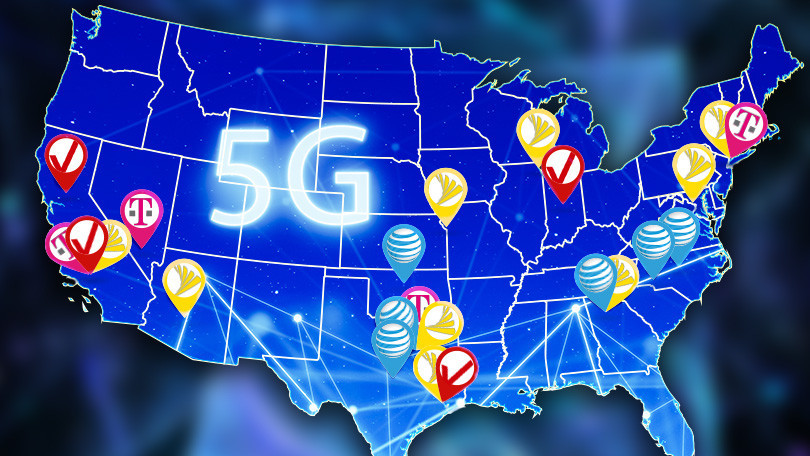
The various carriers have promised 5G deployments in cities around the country. This map shows some of the announced locations.

Like other cellular networks, 5G networks use a system of cell sites that divide their territory into sectors and send encoded data through radio waves. Each cell site must be connected to a network backbone, whether through a wired or wireless backhaul connection.

5G networks will use a type of encoding called OFDM, which is similar to the encoding that 4G LTE uses. The air interface will be designed for much lower latency and greater flexibility than LTE, though.

5G networks need to be much smarter than previous systems, as they’re juggling many more, smaller cells that can change size and shape. But even with existing macro cells, Qualcomm says 5G will be able to boost capacity by four times over current systems by leveraging wider bandwidths and advanced antenna technologies.

The goal is to have far higher speeds available, and far higher capacity per sector, at far lower latency than 4G. The standards bodies involved are aiming at 20Gbps speeds and 1ms latency, at which point very interesting things begin to happen.

Who’s Launching 5G? When?

AT&T has proclaimed that it will be first with mobile 5G when it launches a network in 19 cities by the end of this year. The company has listed its 19 cities and says that initially there will be one 5G device, a mobile internet hotspot potentially called the Netgear Nighthawk M5 Fusion that we saw at a Qualcomm event in December. Phones will come next year. AT&T will use 39GHz spectrum for its initial rollout, followed by some 28GHz, and then low band, former 3G spectrum later in the year.

Verizon is starting out with its fixed 5G home internet service, which is now available. It will follow with a mobile 5G network in 2019, the carrier has said. The carrier is mostly using 28GHz spectrum.

Which 5G Phones Are Coming Out?

The first round of 5G phones will only support some of the 5G systems being used in the US. They will not support low-band, FDD networks, such as T-Mobile’s 600MHz and AT&T’s old 3G spectrum. So if broad 5G coverage is more important to you than top speeds in urban areas, you may want to wait for phones that support those networks during the second half of the year.

Samsung has pledged an early flagship phone, probably the Samsung Galaxy S10, for AT&T, Verizon, and possibly Sprint. This will probably be announced in February and become available in March. The company has also said it will release a second 5G phone for AT&T’s broader low-band network during the second half of the year.

Sprint has said an integrated 4G/5G Android phone from LG will come to its network during the “first half of 2019.”

Verizon’s first 5G phone could be the existing Moto Z3, which has a 5G add-on promised for early next year.

Many other companies, including OnePlus, ZTE, Oppo, Vivo, and Xiaomi, have pledged to produce 5G phones in 2019. But it’s not clear if any of those will come to the US, as the first round of 5G phones are likely to be carrier-specific.

We think there will be a 5G iPhone in 2020, but not before.

Here’s everything we know about the 2019 iPhone

Rumors suggest Apple will release an iPhone XR successor this year

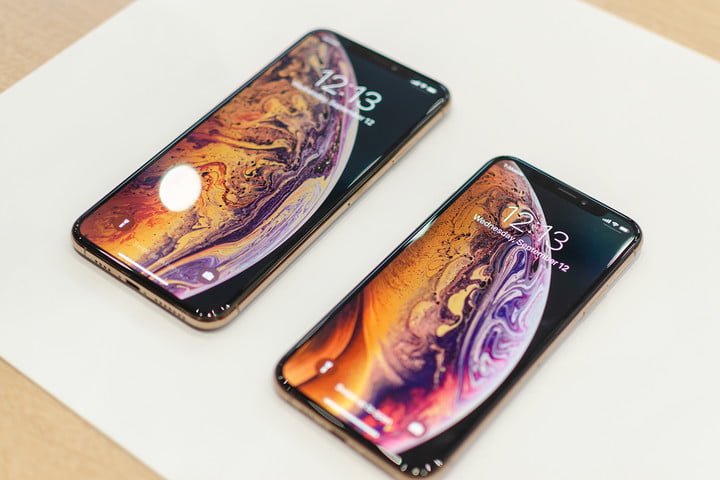
While the iPhone XSiPhone XS Max, and iPhone XR haven’t been around for that long, rumors for the next iPhone are already surfacing. While the information has yet to be confirmed, it seems Apple’s 2019 flagships could include a variety of upgrades ranging from a new design to enhanced features. Here’s everything we know about the device so far.

DISPLAY

While Apple was a little late to incorporate OLED display into its hardware, it looks like the company is embracing the technology on its most expensive phones. Currently, the iPhone XS and XS Max sport OLED screens while the iPhone XR sports Apple’s proprietary Liquid Retina LCD. So should we expect more of the same for 2019?

Despite earlier reports to the contrary, the Wall Street Journal is claiming 2019’s iPhone range will include an iPhone XR-style model with an LCD display, while two, more expensive models will include OLED panels. This goes against earlier rumors from South Korean news source ETNews, who claimed the company had chosen OLED screens for “all three models,” but is also backed up by Ming-Chi Kuo, an analyst for KGI Securities, who suggested LCD iPhones would still be around in 2019 and that they will probably outsell OLED models. However, the Wall Street Journal has noted Apple will more than likely drop the LCD display entirely in 2020.

CAMERA

In May, it was reported that the flagship 2019 iPhone was set to include three camera lenses. Taiwanese publication Economic News Daily claimed each of the three cameras could boast 12 megapixels — which could mean additional camera features such as increased detail or greater zoom mode. A recent article from the Wall Street Journal has backed that up — but claims only the largest iPhone will receive three lenses — two other models will stick with a dual-lens set-up.

Economic Daily News also reports the upcoming phones will feature more advanced technology on the rear cameras that what’s currently being used on the TrueDepth front-facing cameras. The new lenses will use stereoscopic imaging to capture objects and scenes from multiple angles and triangulate multiple perspectives into 3D images.

This seems to be very similar to an earlier rumor from Deutsche Securities analyst Lu Jialin, who believes Apple will incorporate two stereo-vision lenses and a telephoto lens into its three-lens camera. That way, the cameras will be able to understand 3D space in a manner similar to the iPhone X’s TrueDepth front camera — which in turn means there could also be new augmented reality features as well.

It’s clear Apple is continuing to work on its ARKit, having introduced ARKit 2.0 as part of iOS 12 at this year’s Worldwide Developer Conference. The new version delivers improved face tracking, support for 3D object detection and realistic rendering. Users can also play AR games against other users in the same virtual environment with multi-user augmented reality. With a three-lens camera, it will be interesting to see what features Apple will release for future versions of ARKit.

DESIGN

While 2018 saw the rise of the notch, 2019 may see a different sort of screen rise — the punch-hole display, as evidenced by the Honor View 20 and the Samsung Galaxy A8s. While a patent filed in June 2018 suggested Apple would be chasing that same trend in 2019’s iPhone, noted leaker Ice Universe claims 2019’s iPhone will still rock a notch — and the earliest we can expect to see an iPhone with a holed display is 2020.

Another patent from Apple relates to manufacturing ceramic iPhone bodies in a variety of colors — which could alter the way future iPhones look. The patent shows a device with colored bars on its back — specifically on the top and bottom. It’s also possible the Apple logo could be a different color to the rest of the iPhone.

NO MORE 3D TOUCH

Each year when Apple announces its newest batch of iPhones we expect to see new hardware and features. But every once in a while, the tech giant takes an underperforming feature away. And it looks like 3D Touch could go away in 2019.

Earlier in 2018, analyst Ming-Chi Kuo said he expected Apple to drop 3D Touch as soon as 2019. In August, a Barclays analyst said he expects Apple to remove the feature in the near future. When Apple announced the 2018 iPhone lineup in September, the iPhone XR was the first phone in a number of years that shipped without 3D Touch. While Apple may continue to omit the feature from its entry-level phones, we expect the may just do away with the feature altogether in 2019.

Samsung Mesh Routers

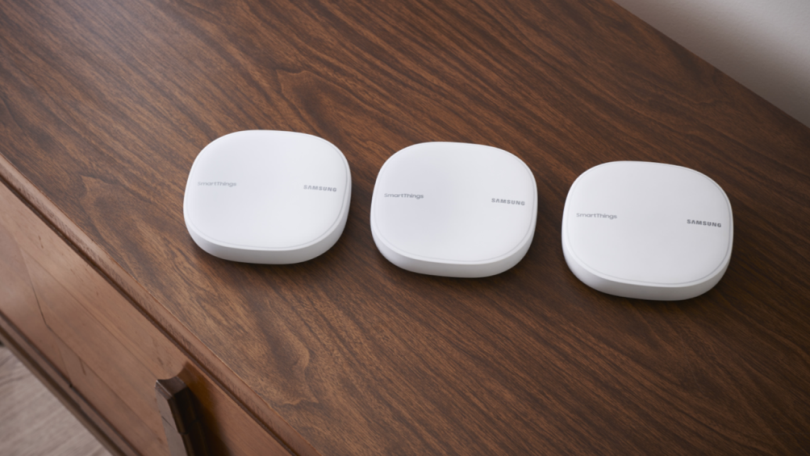
Each router can cover an area of 1,500 square feet. You can buy them individually or in a pack of three for $279.99 to cover a large house. They can also act as a hub to control your smart home appliances.

Samsung wants to upgrade your home’s Wi-Fi coverage. On Monday, the company launched a new Wi-Fi mesh networking product that promises to blanket your house with fast broadband connectivity.

The new routers are part of Samsung’s SmartThings line and can be installed across a large home to form a wireless network that’ll eliminate any Wi-Fi dead spots.

Each router can cover an area of 1,500 square feet. You can buy them individually or in a pack of three for $279.99. That’s not exactly cheap, but it’s a significant discount from the company’s last attempt to break into the Wi-Fi mesh networking segment with last year’s Samsung Connect Home system that originally retailed for $379.

In addition to the lower price, the new Samsung routers use signal optimizing technology from Plume, a maker of Wi-Fi mesh systems. Plume’s tech is designed to intelligently determine the internet needs of each device on the network, and then allocate the optimal band and frequency to deliver the best connection speeds.

“Parents working from laptops can download files while kids stream TV, and gamers experience speed and reliability even when others are on the network,” Samsung said. “Users can also set parental controls to manage screen time and set-up special logins and passwords for guests.”

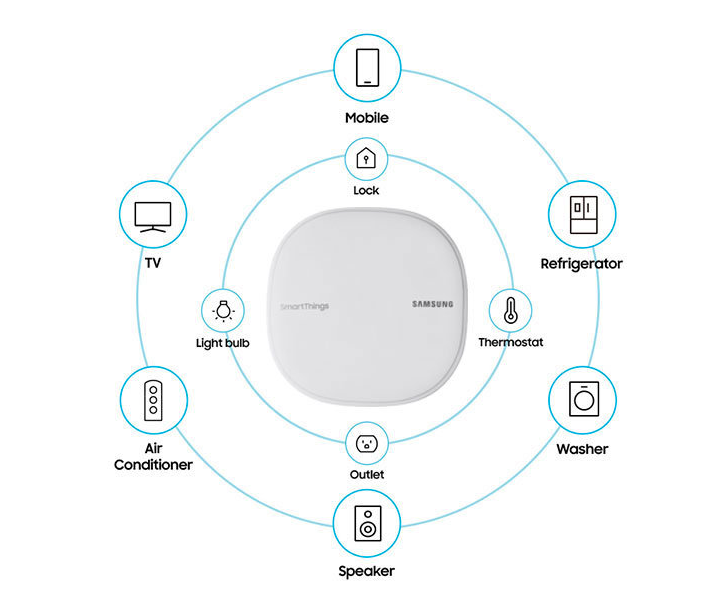
On top of all this, each Wi-Fi router can also act as a hub to control other smart home appliances on the network, including products built through Samsung’s SmartThings ecosystem. “Compatible with hundreds of third-party devices and services, SmartThings enables users to expand their smart home with lights, door locks, cameras, voice assistants, thermostats and more,” the Korean electronics maker said.

Samsung lets you control the routers remotely over an app available for both iOS and Android. Once installed, the app can give you detailed stats on your home’s Wi-Fi connection and the ability to control other smart home devices connected to the network.

The routers themselves offer speeds of up to 866 Mbps on the 5GHz band and up to 400 Mbps on the 2.4 GHz band. They also support Bluetooth 4.1, Zigbee and Z-Wave wireless communication protocols, which are often used by smart home products.

PCMag previously gave an “Excellent” rating to Samsung’s last generation Wi-Fi mesh router, the Samsung Connect Home. However, we’ve also rated other mesh networking systems with higher marks. You can find a list here.

If you’re happy with your Wi-Fi router, but want a unified system to manage your smart home devices, Samsung has a solution for you. On the same day, the company launched a new standalone version of its SmartThings hub, which can wirelessly connect to your Wi-Fi network. It’s designed to let you remotely control all your smart home devices through a single app. The hub will retail for $69.99.

5 Technology Trends to Watch in 2019

Technology trends that will influence industries and consumers in 2019 and everyone needs to know.

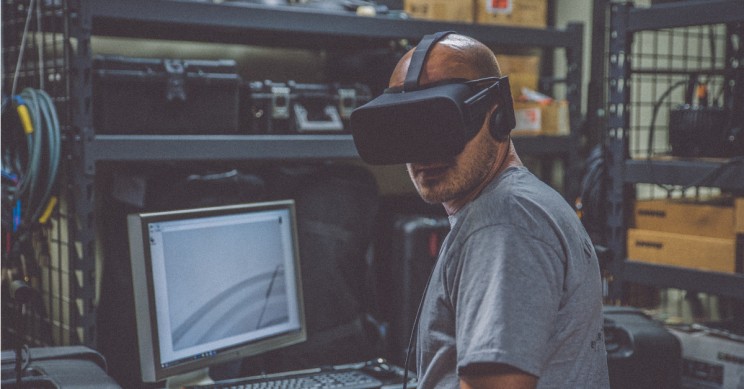
Virtual Reality/ Photo by Eddie Kopp on Unsplash 

Disruptive technology trends determine the way the new year will be shaped. They will accelerate and transform many industries at a rapid pace throughout the year. They will shape the world and the future and will be present on the horizon of business owners and investors alike. 

The intelligent digital mesh is going to include interconnected humans, robots, devices, content, and services all driven by digital transformation. Disruptive technology trends are going to propel the future where technology innovation leaders must evolve and change at the same pace of the trends they must embrace. Or, they could be left behind and suffer a slowly mass extinction.

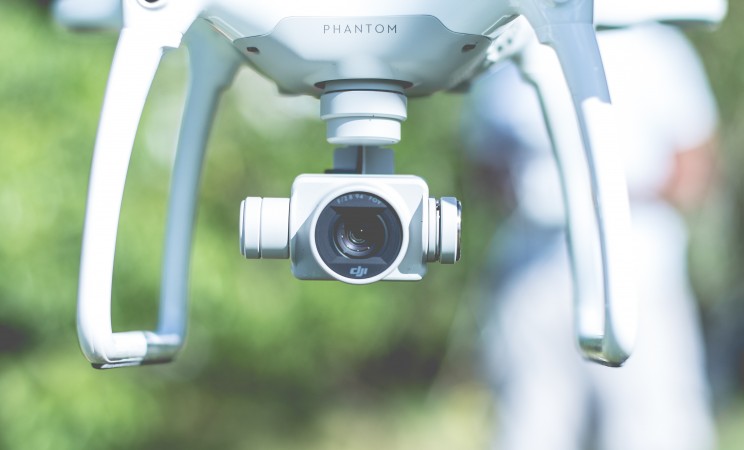
Perhaps the obvious technology to watch closely in 2019 –before we can move on to anything else– will be 5G. 5G is a necessary technology. Without 5G technology, none of the technologies mentioned below would be possible. Autonomous vehicles, drones, the Internet of Things, and supercomputers could not be possible without 5G networks.  

5G technology is going to improve processing speeds by more than 10 times in 2019. This is the technology that can make possible, for instance, the much expected remote surgery in rural areas.

Artificial Intelligence surgery might sound too futuristic to some. However, robot surgeons powered by AI are bringing new innovations and accuracy to the operating room.  

These technologies are worth to watch closely in 2019.


1. Machine Learning will advance Artificial Intelligence (AI)

AI cars will drive us home. /Image: Susan Fourtané for Interesting Engineering 

Artificial Intelligence (AI) innovations will continue to bring scientific breakthroughs, in part, thanks to the vast amounts of data that new technologies have been collecting and is now available. 

In 2019, Machine Learning and Artificial Intelligence will be embedded in the business platform creating and enabling smart business operations. 

In the Artificial Intelligence space, China is going to leave the U.S. behind, emerging as a leader in AI developments and applications.

Advances in Machine Learning technology and algorithm training will result in new and more advanced AI. Autonomous vehicles and robotics are the two industries that will see the most rapid developments during 2019. 

In 2019, there is going to be a convergence of Artificial Intelligence, Machine Learning, and Deep Learning in business applications. As AI and learning technologies get to work together in order to reach better results, AI will have greater accuracy at all levels.

So far, humans have only developed Narrow Artificial Intelligence. A superior AI, though, is in the future of mankind. How far should humans go with AI development is still a subject of controversy. Is this really going to be mankind’s last invention? 

2. Quantum Computing (Supercomputing)

Quantum Computing, still an emerging technology, is one of the most fascinating things researchers, organizations, and governments have been working on in this century so far. The race toward building the first fully-functional, fully-working quantum computer (also called supercomputer) is on.

With its impressive computational power quantum computers will most like be a cloud service in the near future rather than on-premise machines. IBM is already offering cloud-based quantum computing services. 

The first quantum computer is going to have a significant advantage over the others. In 2019, the competence to achieve supercomputer supremacy will intensify. As a consequence, the last mile in the race will remain mostly secretive, for obvious reasons.

3. Augmented Reality (AR) and Virtual Reality (VR)

Advances in Augmented Reality (AR), Virtual Reality (VR), and Mixed Reality (MR), all of which can be summarized in R+, will continue to be at the forefront of attention during 2019 with some fascinating new practical applications for industries.

R+, which once was only found in video gaming has been quickly advancing to become a useful tool in industries such as engineering design, manufacturing, healthcare, space exploration, and many others. 

In 2019, Virtual Reality is going to open up to innovative industrial applications that will change how people work and collaborate across geographies. 

Augmented Reality has been rising in the Virtual Reality’s shadow for the past year. But in 2019, AR is set to grow exponentially. 

4. Global Internet of Things (IoT) security breach

Anything connected becomes vulnerable. 

Hackers never sleep. Everyone in the cybersecurity industry knows that. As long as you connect something to the Internet it immediately becomes vulnerable.

In the past years, we have seen how hackers have turned to unsecure Internet of Things (IoT) devices to create an extensive botnet which then they could use to push enough traffic to take down Dyn, the DNS provider. As a way to refresh your memory, here is how the DDoS attack using IoT devices happened in 2016.

A quick look at the news tells us that not much has been learned. However, the great number of security breaches occurred during 2018 should serve as an alert of what can happen at a global scale in 2019 if organizations don’t take the necessary precautions. 

Analyst firm Gartner forecasts that 20.4 billion connected things will be in use worldwide by 2020. And with the rise of autonomous things –I will call this the Internet of Autonomous Things (IoAT)– there is a good chance that many of these things will show a certain level of weak security. 

In 2019, it will be paramount for IoT manufacturers and all of their supply chain to dramatically increase the security in all the products that come out to market. It can be a connected refrigerator, a robot, a drone, a vehicle, or a health tracker.

Manufacturers must implement a level of security that keeps hackers at bay. Otherwise, there is a good chance we are going to witness a global IoT security breach in 2019.

5. Blockchain technology

In 2019, for the delight of organizations, Blockchain is going to bring the first enterprise applications in active use. The most innovative corporations will start using Blockchain as a way to improve collaboration.  

Blockchain in 2019 comes out cryptocurrency transaction and becomes an integral part of the business platform. Blockchain enables transactional transparency across a variety of business functions. In 2019, Blockchain will be present in many industries at the core of business innovation.

Samsung Q9FN QLED (2018)

After an underwhelming debut, Samsung’s QLED technology really needed to bounce back in style in 2018. It didn’t surprise us in the least, then, to discover Samsung threw the kitchen sink in with its new Q9FN QLED Series of TVs. 

As well as being even brighter and more colorful than last year’s equivalent model, Samsung’s 2018 flagship screens use a completely different lighting system to combat its predecessor’s contrast problems: Full Array Local Dimming rather than edge-lit LED lighting. The FALD panel works in tandem with Samsung QLED Quantum Dots to produce a picture that’s brighter and more colorful than near any we’ve seen come from the South Korean manufacturer. 

Do those features alone make Samsung Q9FN the best TV on the market? No, but throw in technology like HDR10+ and Q HDR EliteMax – what Samsung bills as its maximum High Dynamic Range experience that’s exclusive to the Q9FN – and there’s very little doubt in our mind that this is Samsung’s best TV ever. 

Read more here!

Samsung – Galaxy X

We may have seen the elusive Samsung Galaxy X

Update: The Samsung Galaxy X is rumored to land on February 20. Plus, a source claims the Samsung Galaxy X could have two batteries for a total capacity of 6,200mAh.

We could have recently gotten our first real look at the Samsung Galaxy X – or Samsung Galaxy F, Samsung Galaxy Fold or Samsung Galaxy Flex as it might be called – at the Samsung Developer Conference.

Samsung revealed something huge: its first foldable screen, which opens clamshell-style and flattens out for a tablet-size display. The Infinity Flex Display, as the tech is called, is an entirely new direction for Samsung smartphones that required development of new materials and processes to make it functional.

Read more here!